Manage bookings for your self‑catering holiday homes
3 minute read // updated
 by Kelly Odor, Marketing Professional
Key Takeaways
- Protect guest and booking data with secure tools and password best practice.
- Automate emails, payments and tasks to save time on daily booking admin
- Analyse bookings, owner data and reports to grow and future‑proof your business.
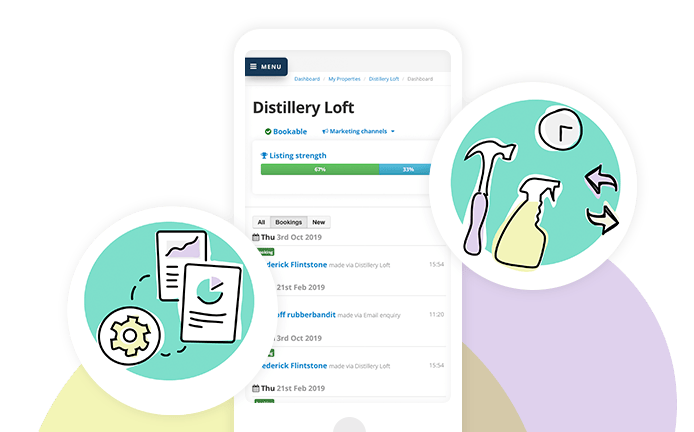
At Bookster we provide tools and services to help you manage bookings and take action using the knowledge you learn.
Read on to learn how we help!
Property Managers spend far too much time dealing with the paperwork of managing bookings. At Bookster we solve that by providing an easy-to-use secure access to bookings data, with powerful time-saving results. (Robin Morris, Director)
Manage bookings for holiday rental properties
Keeping track and managing your bookings in a holiday rental business can be overwhelming.
At Bookster we focus on 3 pillars to support our clients attract bookings, manage bookings and manage guests.
We use these 3 pillars for planning and implementing our developments each year.
So how do you manage your bookings for your holiday rental properties?
Advice to manage bookings
No matter what solution you use, you need to consider how you will protect yourself and your guests from cyber crime.
With the growth of cyber threats and online crime, it’s important to protect your client and bookings data with password security.
Using tech to manage bookings
♥ Store your bookings
Where do you store all past, current, and potential bookings?
With Bookster, the storage of your bookings is a worry of the past.
Your bookings are stored securely, with 2 Factor Authentication, and can be accessed by you, with limited access roles for your team.
The data will be automatically deleted in the timeframes you set, usually 3 or 5 years, to keep in line with data protection legislation.
♥ Keep on top of daily tasks
How do you stay on top of which of your guests have been contacted?
In Bookster you can view at a glance which guests have received their Automated Email Notifications covering Booking confirmations, Payment requests, Damage deposit requests, and Arrival instructions.
♥ Filter and analyse your bookings
How do you evaluate your bookings to find business opportunities?
Your analysis tools help you view your business over your selected timescales, and create a holiday rental accounting data export for your Accountants.
Prioritise your time and efforts with the best marketing channels for your properties.
You can see which channels are working for you easily in Bookster's property Insights or the exportable Booking Reports.
- View revenue and bookings per channel for a clear understanding of which channels bring you the most bookings and highest revenue.
- Plan how and when you need to market your properties by viewing your average length of stay and how far in advance of arrival bookings are placed (days).
- Bolster your efforts or plan what to do for underperforming properties by analysing bookings for each property to break down how they have performed.
We help you plan for the future by helping you dig into the details of your business.
♥ Provide bookings data to the authorities eg HMRC
Growing legislation means a growing demand from the councils, tax authorities and local governments for an overview of your data.
Within Bookster there are tools which allow you to gather and provide the data for DAC7/ Digital Platform Reporting Rules and Visitor Levy) also known as a Tourism Tax).
These tools will save you thousands on external consultants fees, and is available at your fingertips.
♥ Search your bookings
How do you search through your bookings to understand the day-to-day changes in your business?
We help you see what is happening right now, with tools to evaluate the bookings in your holiday rental business.
- Quickly view new bookings, arrivals, departures, payments due and overdue, and damage deposits due and overdue in your dashboard.
- Identify and plan actions to fill gaps by checking the timeline calendar view, which shows which bookings are in place, and which properties have fewer bookings or big gaps.
We’ll help you build relationships by identifying repeat guests, highlighted in your holiday lettings software.
♥ Provide data for your Owners
How do you provide for your owners?
Property Owners look to holiday rental agencies for updates on their investments. We’re here to support Owner Relationships.
The information required can range from secure Owner Logins to Arrivals data to shareable Owner Statements.
Here to support you
Managing your bookings can be time-consuming.
Where to start?
When you’re thinking about using a software company, check Robin Morris' 4 tips for choosing a rental booking software.
For further advice check these 4 tips for starting a self-catering business from Craig Douglas, Director of Reserve Apartments, and how to choose the best holiday rental pms software.
Frequently Asked Questions
- How do I move from spreadsheets to booking software for my self‑catering homes?
- Switch by first centralising all property and guest data, then importing future bookings into a secure PMS like Bookster, and finally enabling automations for emails and payments to replace manual spreadsheet updates.
- What is the best way to keep owner reporting simple for self‑catering properties?
- Use software that offers owner logins, downloadable statements and live arrivals data so owners can self‑serve key information without constant email requests.
- How can I prepare my booking data for new regulations like DAC7 or local visitor levies?
- Choose a system that can filter, export and summarise bookings by date, property and owner so you can quickly produce compliant reports for tax authorities and councils when rules change.
Bookster provides extensive tools for holiday rental owners and agencies to manage the complex and time-consuming tasks of managing bookings.
If you have your own self-catering properties or manage them for other owners, then we’re here to support you.
Register now and check it out.