Guest reviews: Add yourself

Guest reviews

Use your reputation to boost bookings with guest feedback.

Get started free…Book a Demo
Great customer support, very responsive and friendly.
Adore Scotland

Davide Tedesco
Adore Scotland

graphic angled element

Simple management

Collect, manage and present your guest reviews on your own website and on channels like Booking.com and Airbnb.

  • Add trust by showing reviews left with you
  • Display referrals from local and global press
  • Record guest book comments
  • Manage and display your reviews easily on your website and channels.

Custom Websites

Collect and display guest reviews on a Bookster Custom Website:

  • Allow guests to record star ratings with comment
  • Publish SEO friendly HTML markup for visibility in Search.

Designed to help…

Great for…

  • Marketing Manager
  • Booking Administrator
Quick overview
Available with

Free

Lite

Pro

Max


You can set this up yourself.


No third party services required.


No additional costs.

What does it do?

  • View and respond to Airbnb and Booking.com reviews within Bookster
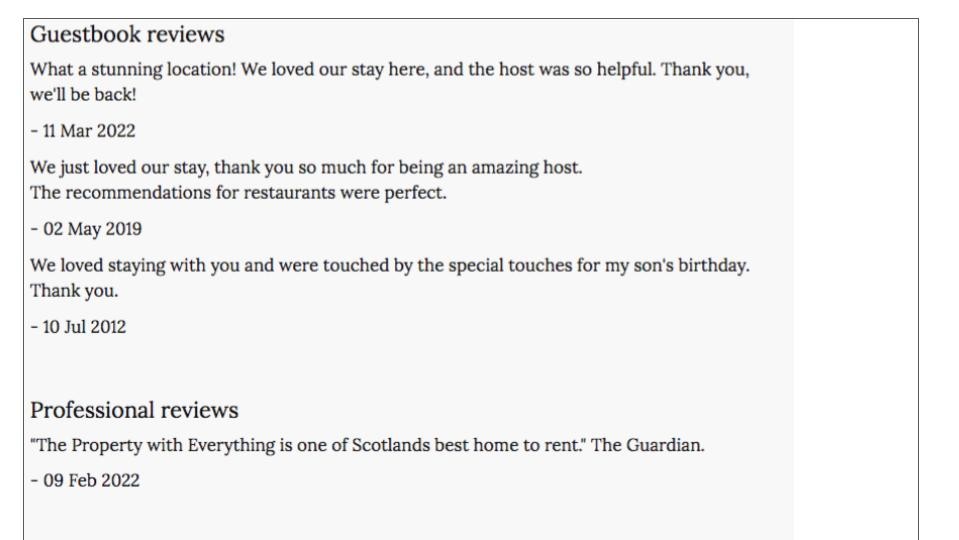
  • Guest Book Reviews - Collect comments left in your property by guests
  • Professional Reviews - Collect press reviews (e.g. from a magazine or newspaper)
  • Display your channel reviews on your own Instant Website using Revyoos
  • Add TripAdvisor widget(s) for your properties to your Instant Website
  • Custom Websites - allow guests to leave a review against a property
  • Custom Websites - collect your own star rating reviews
  • Custom Websites - marked up to be super visible on Google.
Booking.com - Manage your guest feedback from Booking.com within BooksterAirbnb - Manage your guest feedback from Airbnb within Booksterrevyoos

Frequently Asked Questions

Additional cost?
No.
Which plan is Guest reviews available in?
  • Lite
  • Pro
  • Max
Does it require a 3rd party service?
No.
How do I get Guest reviews?
You can set this up yourself.
How can I add Revyoos to my Instant Website
Follow the sign up process on https://www.revyoos.com/w/?ref=nddkmda
How do I ask for reviews?
Create an automated journey in Bookster Email Marketing. This will automatically send an email requesting a review. You can choose how long after check-out to send the email.
When is the best moment to ask for a review – at checkout, the day after departure, or later in the week?
If you are saying goodbye in person, you may feel comfortable asking there and then. If you want to wait until guests have left the property, set up an automated journey in Bookster Email Marketing. Send the email within 3 days of departure, as guests will quickly get back into their routines and forget.
How can I fix problems during the stay so they don’t show up later in a negative review?
Set up an automated journey in Bookster Email Marketing. This will email guests after they arrive. You can choose how long after check-in to send the email. Ask how they are getting on, and invite them to contact you with any problems. If they report any problems, fix these quickly and efficiently. Contact the guest to acknowledge the problem, provide an estimated solution, and then confirmation when the problem has been resolved.


No setup fees. No contracts.

Try our features with a free trial today.
- Robin, Managing Director

Get started now